Credits and plans
How credits are spent, what each plan includes, and how to change or cancel.
How credits work
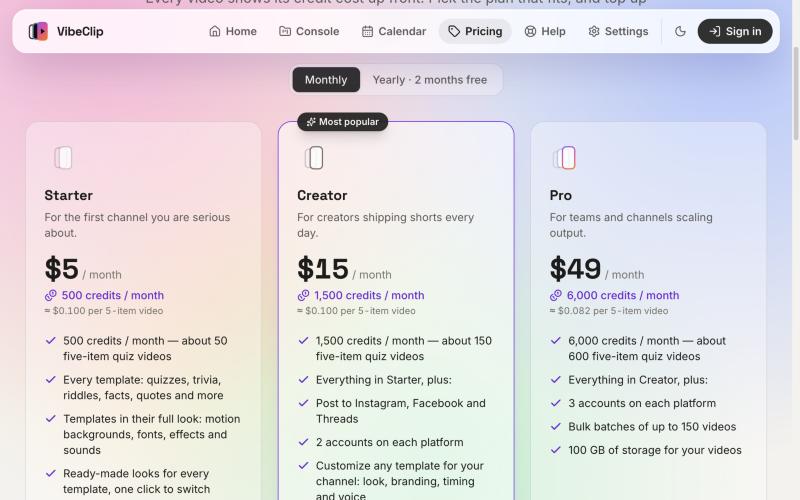
Paid plans spend credits: on videos (a typical 5-item quiz is 10 credits), on posts (1 each) and on AI thumbnails. You always see the cost before you confirm.
Plan credits refresh every month. Credit packs top up any paid plan and never expire.
Change or cancel your plan
- 1To upgrade, pick the bigger plan on Pricing. It starts now: you pay the difference for the rest of the billing period and get the extra credits straight away.
- 2To downgrade, pick the smaller plan. It starts on your renewal date, so you keep what you've paid for until then.
- 3To cancel, change your card or get an invoice, open Settings → Plan → Manage billing.

Still stuck? Contact us or check the FAQ.